October 9th, 2026
The ASUS Q200E Review: Slowly Excellent.
Core i3 doesn't always mean "reasonably fast".
The ASUS Q200E Review.
The ASUS Q200E is a laptop that I have had for a while. It sat on the shelf until my interest in it was renewed. I wanted to use the thing for a bit, see how it was, and run it through some benchmarks. I especially enjoy small laptops, and this one is quite portable. It also would make for great content, and, as this review will show, it did in fact make for some great content. Despite its somewhat unassuming exterior, this little laptop did in fact have some interesting faults that I didn’t know much about until I used it.
Physical Traits.
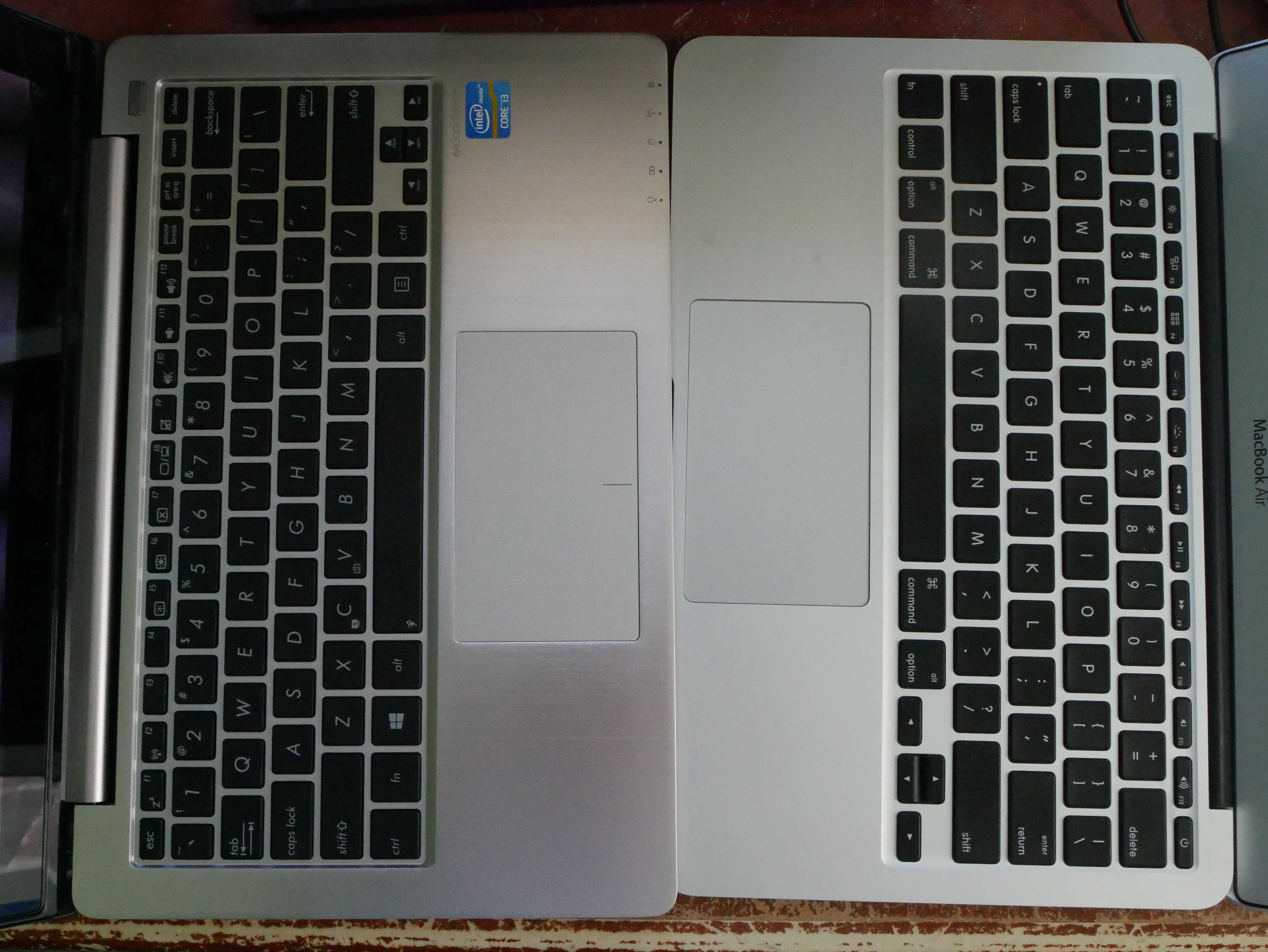
The first thing one notices with the ASUS Q200E is its design. It is quite a nice-looking design. When closed, the bottom has horrible rubberized plastic that was once nicer. The lid, on the other hand, has this rose-brown color to it, and, when you open the laptop, the palmrest has a golden color with a tinge of rose on it. It is also metal, presumably aluminum, and feels extremely nice on the palms. It seems ASUS heard about the MacBook Air and tried to make something better. It also has a keyboard, and a plastic trackpad, as is standard for most laptops. The screen is a 1366x768 panel, typical for the time this laptop came out in. This laptop must have come out around the Windows 8 era, as it came new with Windows 8, and has the Windows 8 logo on it instead of the 7 logo. The screen is also touchscreen, presumably due to Windows 8’s focus on touch.
The device also features a plethora of ports. It has two USB-A ports on the side right side, one of which is a USB 3.0/USB 3.1 Gen 1/USB 3.2 Gen 1x1 port. It also has an HDMI, an Ethernet, the power, and a Kesington lock on the left side. The right side has a VGA port, a USB 2.0 port, the 3.5mm headphone jack, and an SD card slot. All of these ports make for a wonderful laptop experience.
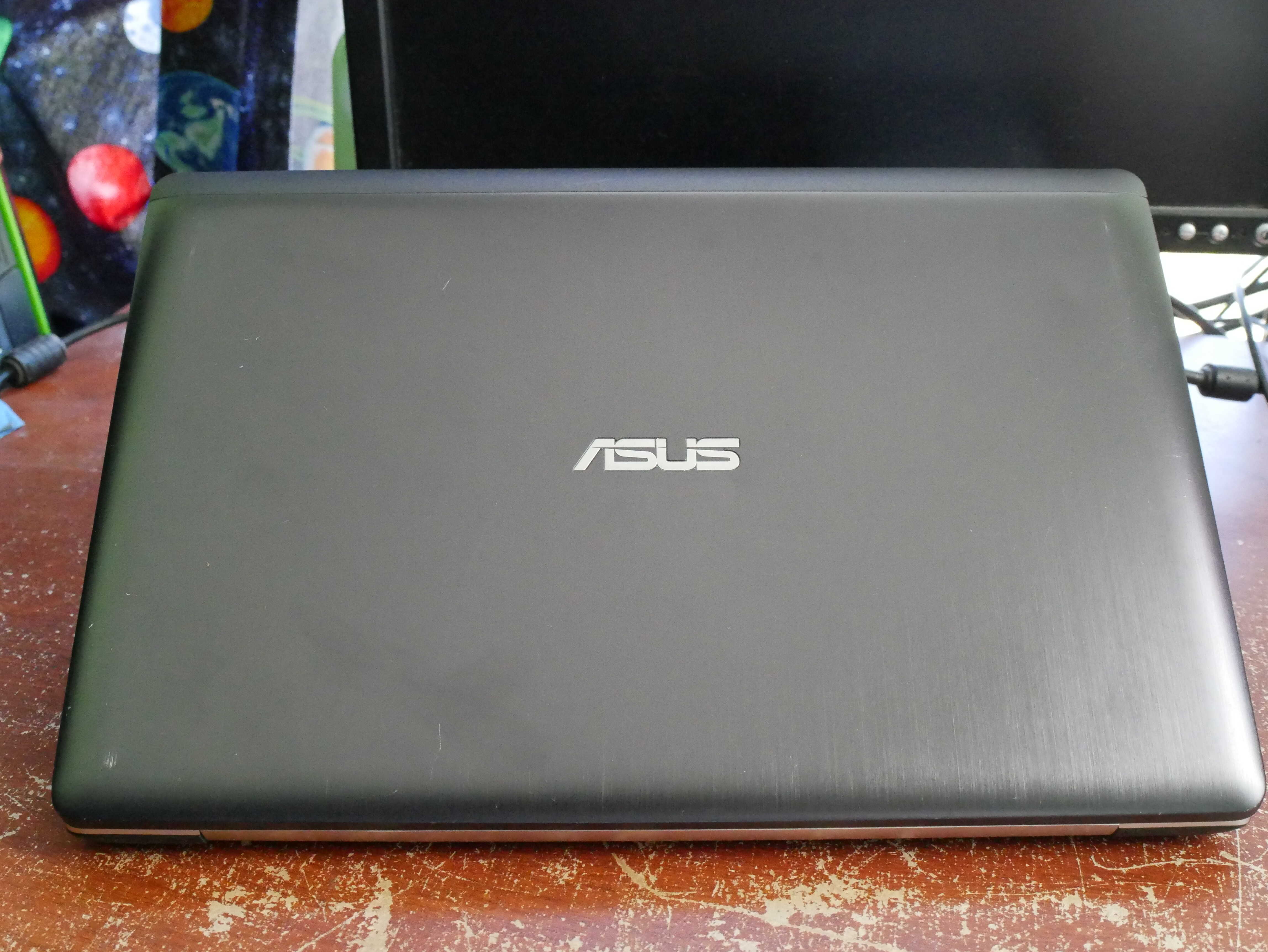
The lid.
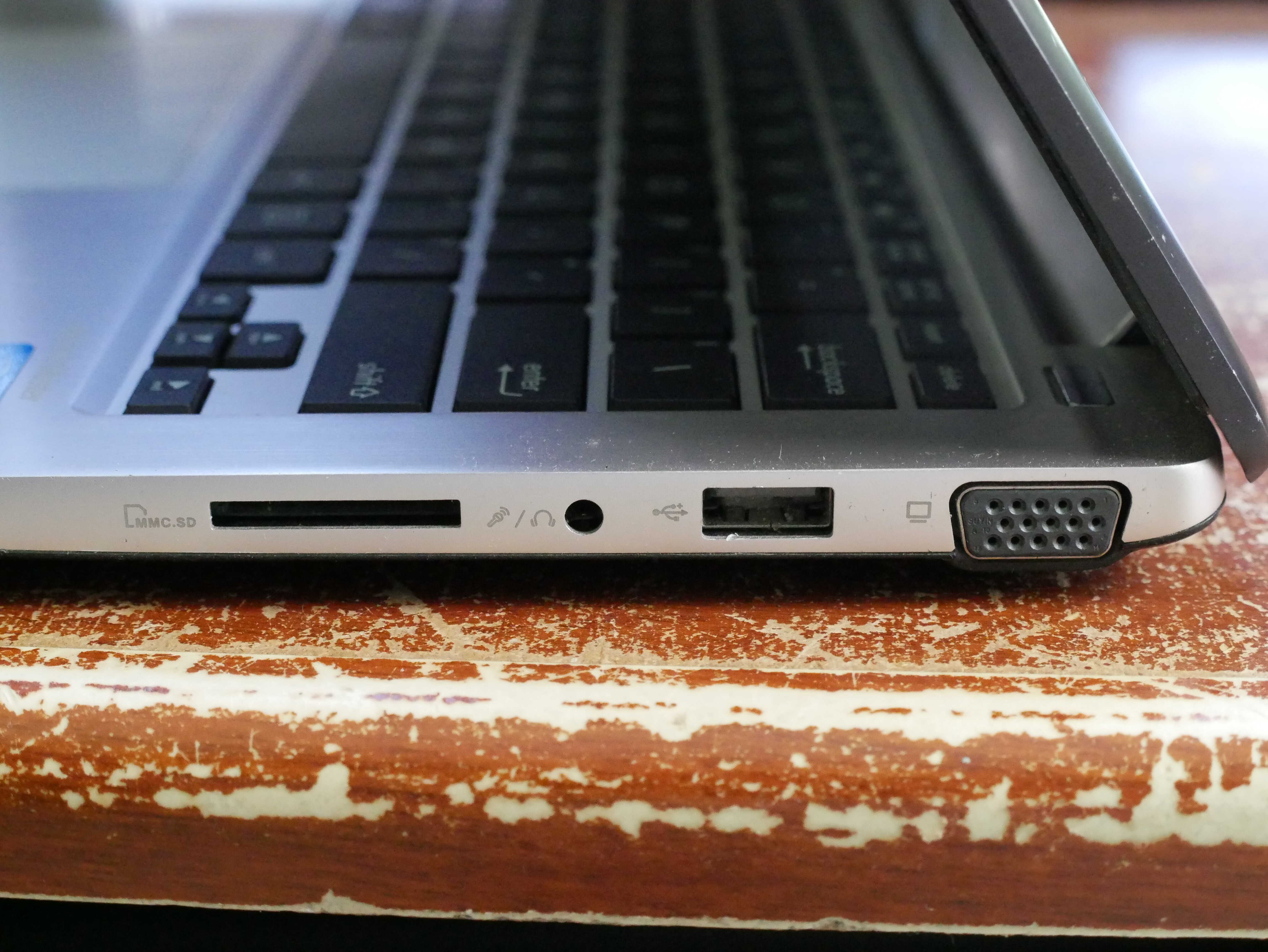
The right side, with SD, 3.5mm headphone jack, USB 2.0, and VGA.
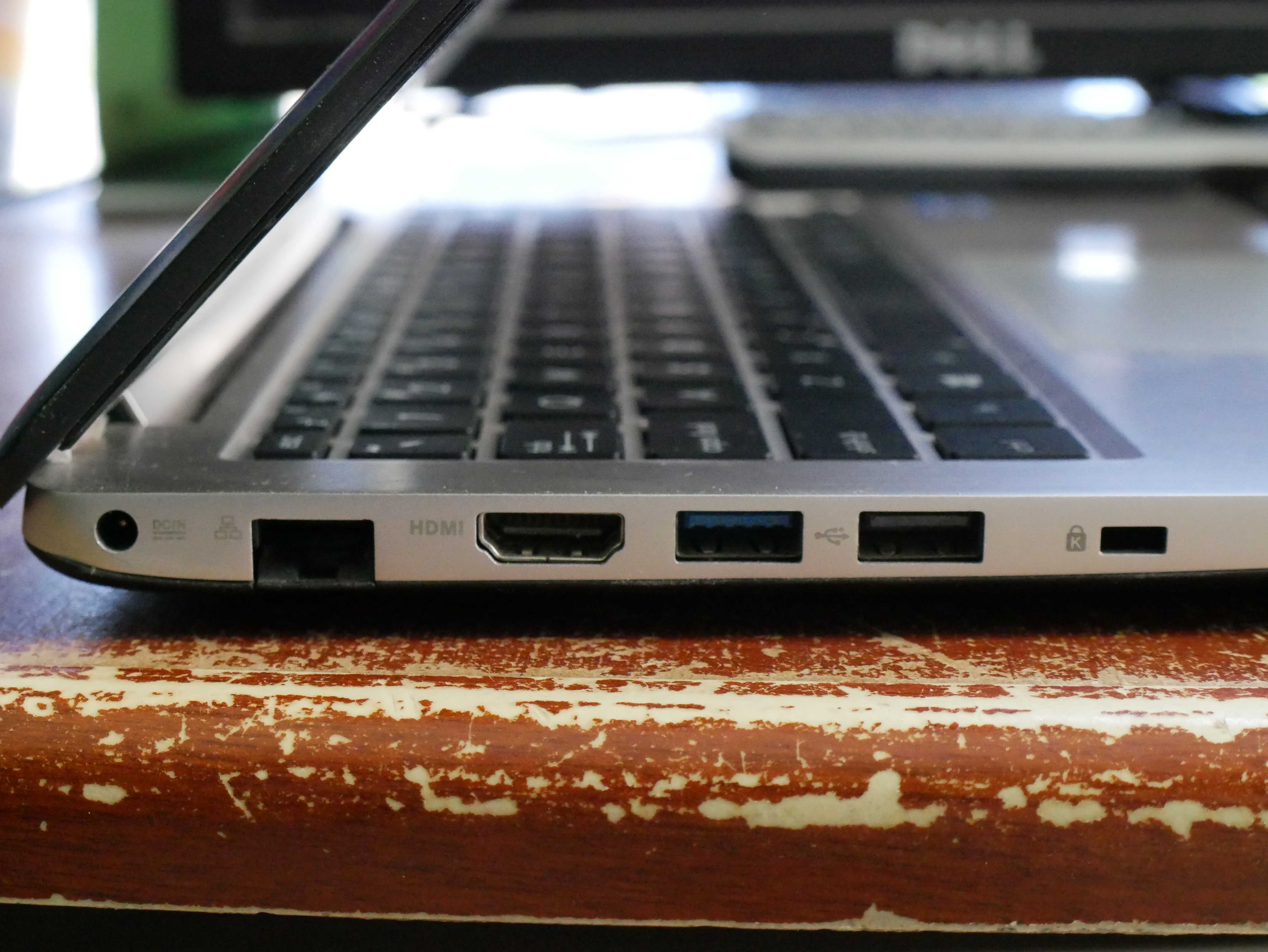
The left side, with Ethernet, HDMI, USB 3.0, USB 2.0, and a Kensington slot.
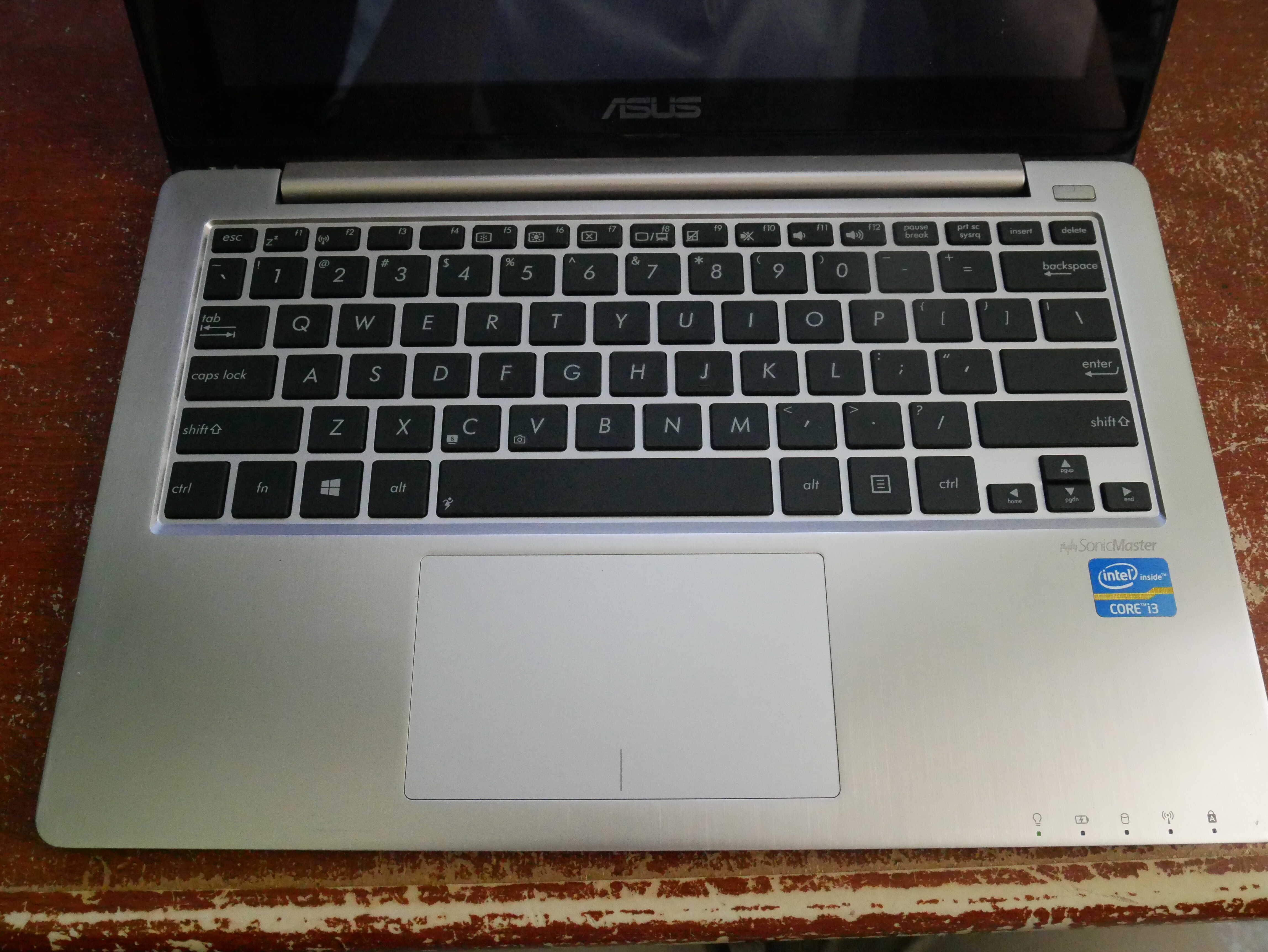
The very pretty keyboard.
Internals!
The internals of the laptop are where the Apple-copying stands out. The laptop features one unfortunate trait of the MacBook Air: It has 4GB of SOLDERED RAM. That’s right, you can’t upgrade that. Otherwise, it’s fairly typical laptop stuff. A slot for a 2.5-inch SATA drive, and the heatsink, which covers the Intel Core i3-2365M. There will be more about that later, trust me.
Using the Laptop.
This laptop is easily the best, in terms of looks and feel, that I have used of this size category. I installed Ubuntu Unity 24.04 on the laptop, due to it matching the laptop’s looks and era. It also performs quite well on these laptops due to Unity being designed with them in mind .The keyboard, one of the most important things on this laptop, is a five-star experience. It feels nice and clicky, and has a good amount of depth to the keys. I will go as far as to proclaim it better than that of my 2014 MacBook Air’s keyboard. The trackpad is reasonably decent as well. It is nicely sized, and feels great when you click it. The inputs aren’t the only excellent thing about this laptop. Its output is as well. The display is, despite its low by today’s standards resolution, a fantastic screen. Unlike my MacBook Air, colors stand out nicely, and I don’t feel like it’s a low-quality panel someone found in the bottom of a shipping container.
The actual system experience was quite nice, and led to some vexation. Under Ubuntu Unity, the device felt snappy and responsive. Everything seemed fine, but web browsing seemed a wee bit slow. That was when I noticed something odd. This laptop wasn’t as fast as it felt. Updates took significantly longer than I was expecting. I then tried a 1080p60 AV1 video file. That didn’t go well, and resulted in the laptop slowing down to an ancient crawl. I ended up installing Windows and running my benchmarks. It turns out that the Core i3-2365M CPU in this laptop is slow. In fact, it is slower than the high-end 2008 aluminum MacBook WITHOUT its battery. That laptop has a Core 2 Duo P8600 in it, and because it has no battery, it throttles. This ASUS has its battery and it’s still slower. It’s not even thermal constraint. It is simply slow. The fact it was a Core i3 is what led me to believe it would be faster than it was. Therefore, I decree that this laptop’s CPU should be renamed the Core i3-2365A, for Anemic, due to its low performance.
Despite my obvious confusion, I found that this laptop still feels nicer than any of those Core 2 machines. Its GPU is its strong point. On Linux, it has full support, and as such everything feels quite smooth when the GPU is being used. I would take this laptop over that 2008 MacBook any day. It still runs Linux well, and, provided one does not have an excess of tabs, web browsing is doable. For YouTube videos in 1080p60, you may have to bump down to 720p or 480p, or install something like “h264-ify”.
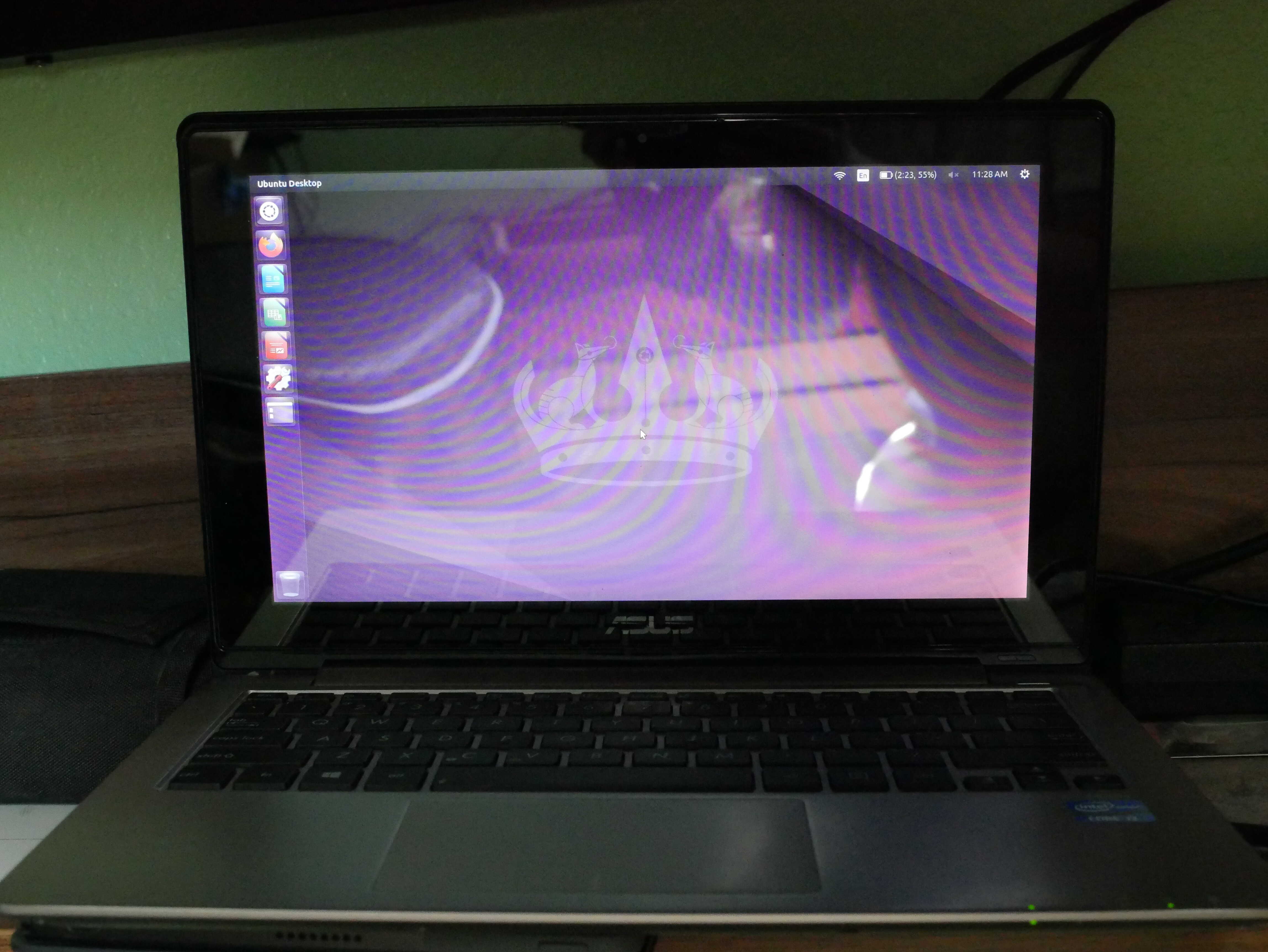
The ASUS on Ubuntu Unity 22.04. My apologies for the terrible photo; it is quite hard to photograph such a reflective display!

HPL Linpack Top500 benchmark. I use Jeff Geerling's script thingy for it, link HERE.
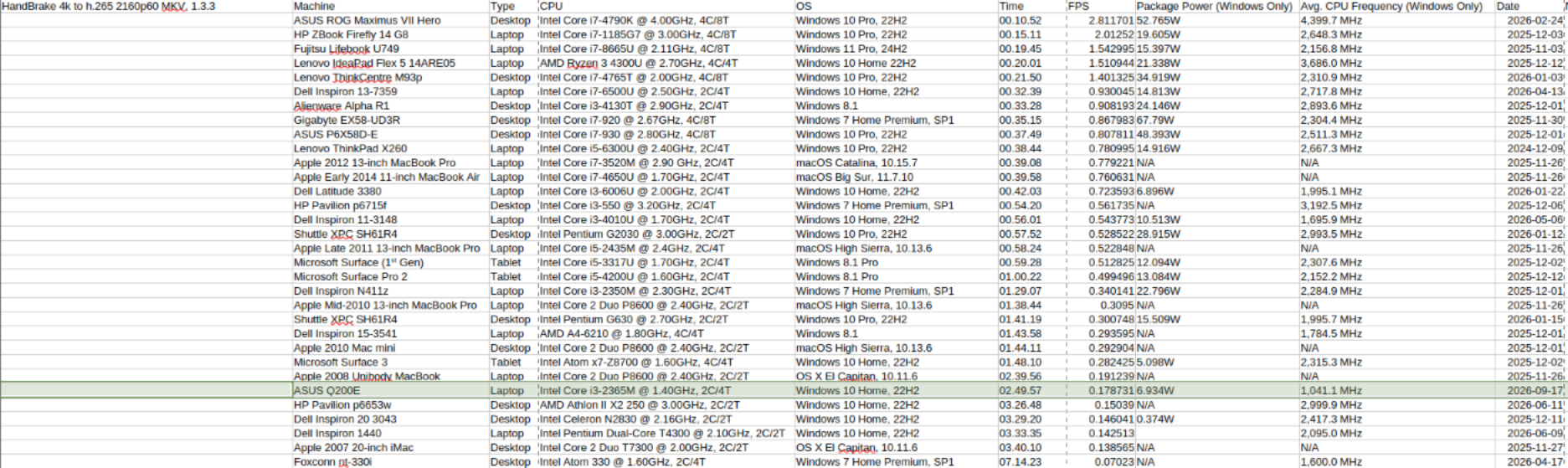
HandBrake 4k H.265 encoding test, taken from HERE.
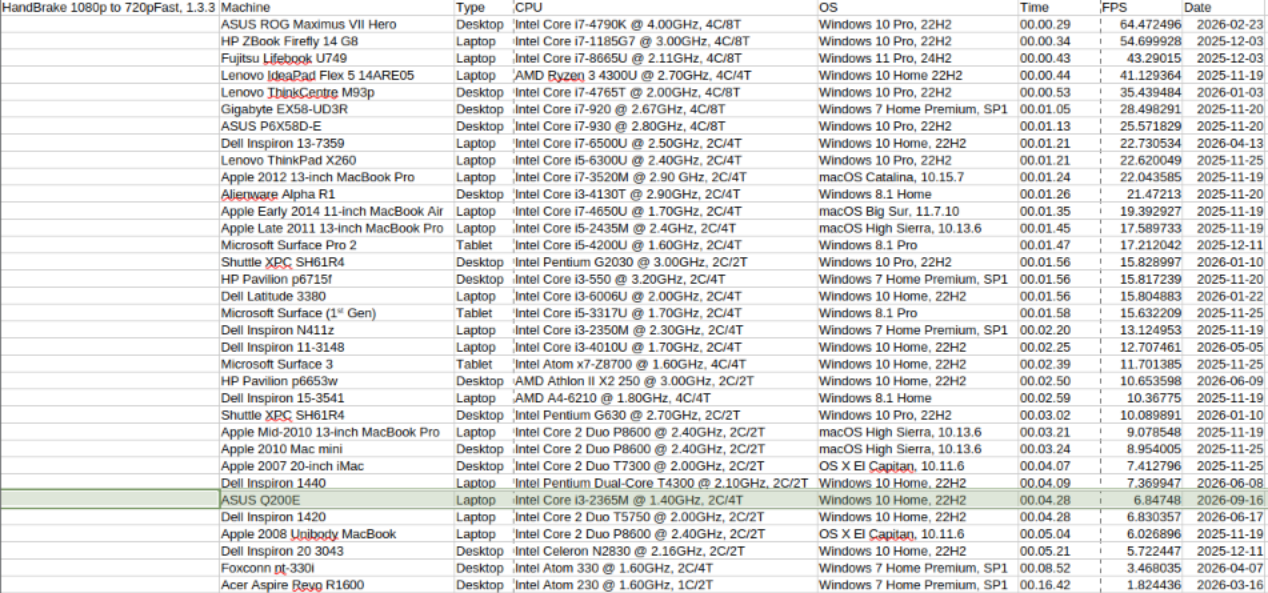
My own homemade HandBrake 1080p test, based off of the one linked in the 4k benchmark screenshot.
Conclusion.
The ASUS Q200E is, in essence, a perfect laptop marred by two stains; that is, its lack of upgradable RAM, and its anemic CPU. These cause the laptop to run on the slower side, and therefore make it harder for the poor thing to exist in these modern times. It also lacks a 1080p display, though I cannot fault it, as the 1366x768 resolution was common at the time this laptop was new. However, those gripes aside, this laptop is otherwise a perfect small computer, and one that should be imitated in its ways, save for its negative traits.
Chickens!
Agathae is still broody. None of the eggs that have been set under her have hatched. Josephine has new feathers in as well. We had a couple cold days and nights (relatively, around 50F nights and 70F days compared to 70F night and 100F days).
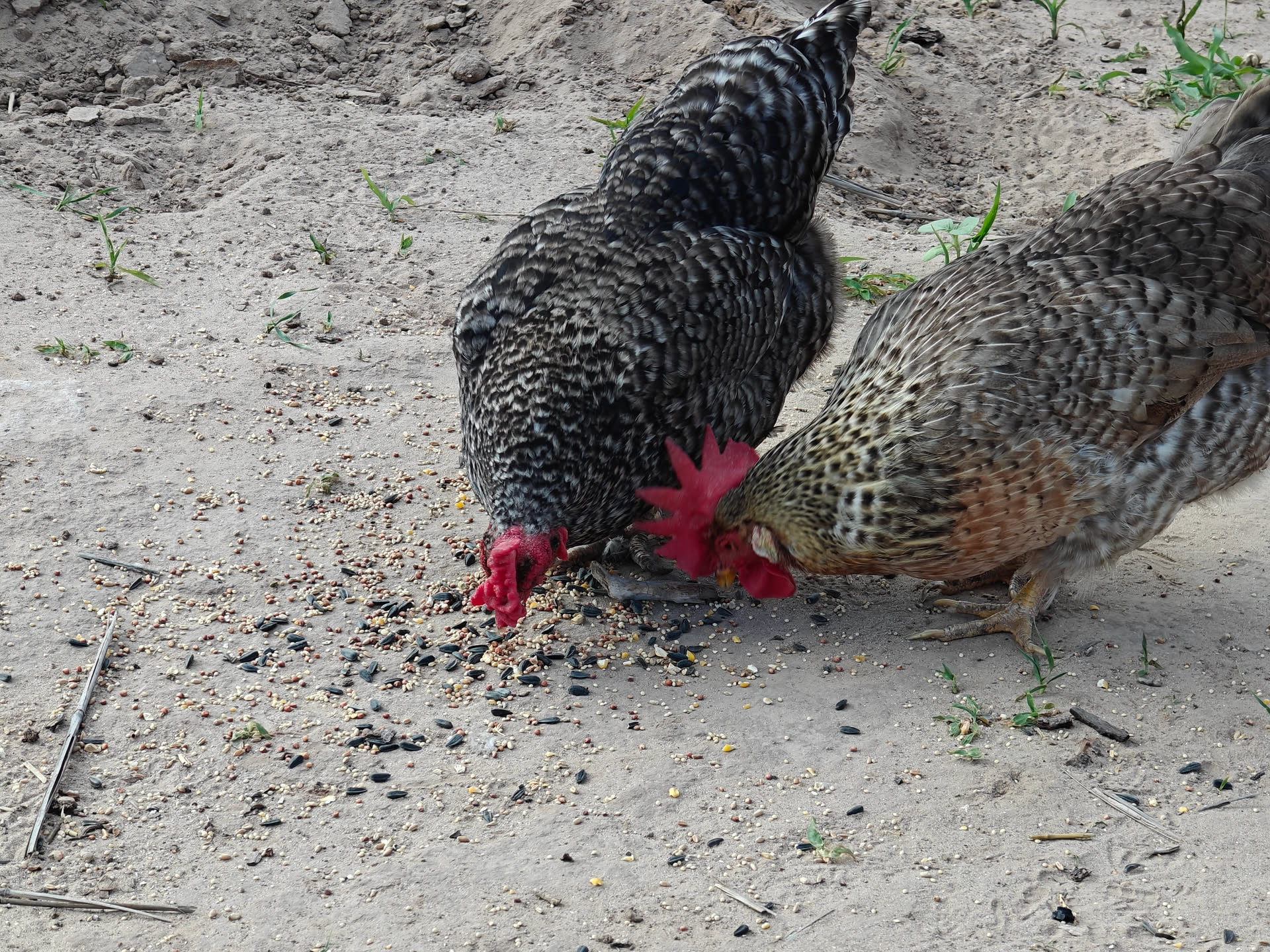
Felicitas and Dominica.
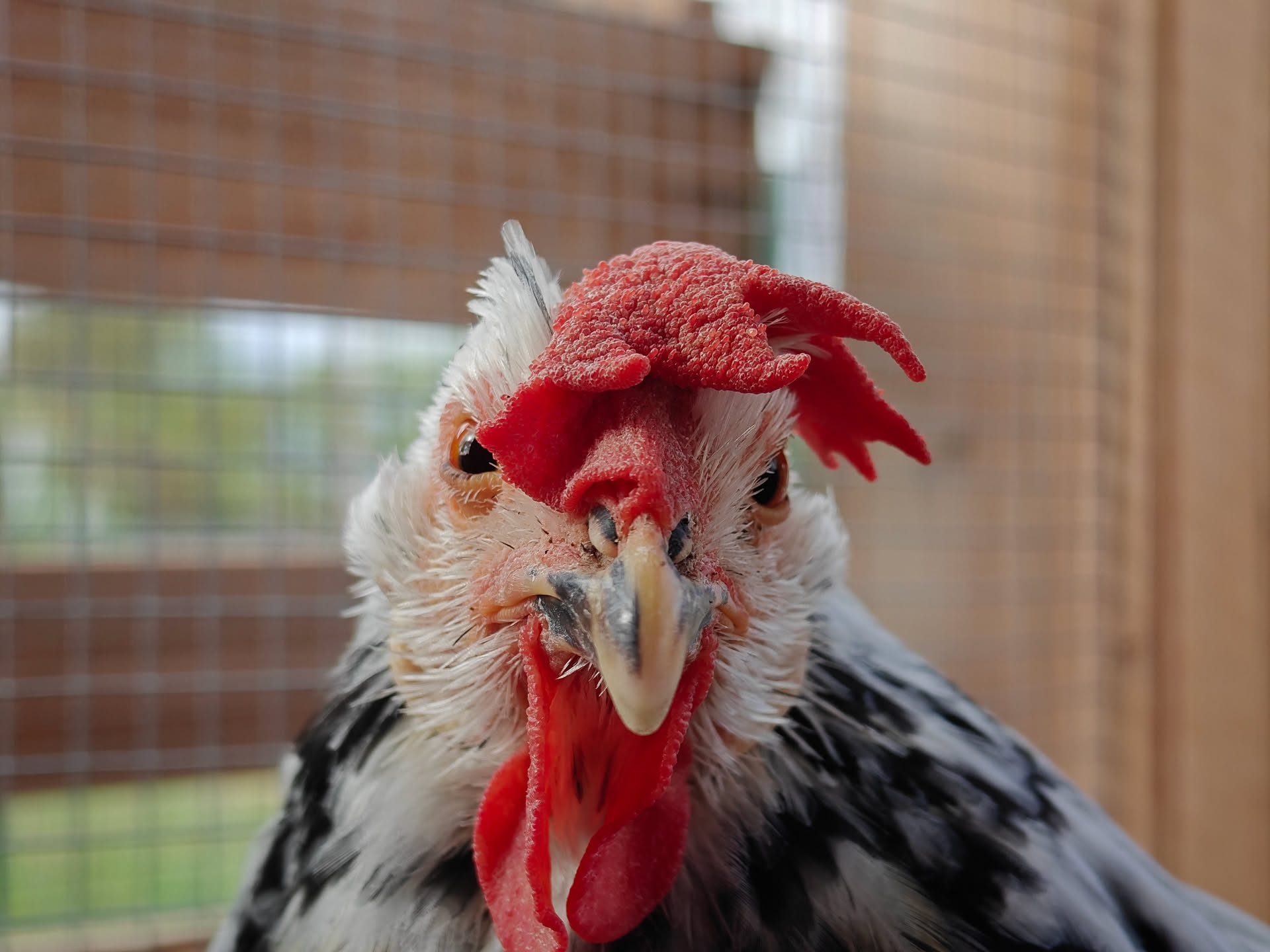
Josephine glaring with her new feathers.